Computer Tricks

Hide Your Online Identity and Bypass Restrictions on Firefox

1 comments

Image

Hello guys! Today I am going to show you an easy trick to hide your online identity and bypass country and browsing restrictions for users of Firefox. There are some other ways to do this for chrome and other browsers as well as applications. But that is for another day. Today we will see only about Firefox.

anonymoX is a free add-on for Firefox which will change your IP-Address and country, allowing you to visit blocked or censored websites and delete cookies as well as conceal your online identity. It is a free ad-supported add-on which uses its Proxy Servers to hide your online identity. I will hopefully discuss proxy servers in detail in another article.

Get the anonymoX add-on for Firefox.


01


After installing the add-on, restart Firefox and you will find out you will be able to visit sites previously blocked. Also you can see that your IP and location has changed by visiting here and your identity has been concealed too!!!

That's it for today! Please like and share!

Suni

Top 6 Websites to Learn Programming Languages

2 comments

Image

Ever wanted to learn computer programming languages, but didn't know where to start? Well, those days are over. Today learning programming languages is not really a hard job. If you are a beginner and have aptitude to learn computer programming then you can accomplish this goal to a basic level within a few months. Here are the top 6 websites, which are useful for learning programming.

W3Schools


W3Schools

If you are a beginner or intermediate programmer, then w3schools is an excellent website for learning programming. W3schools offer tutorials for a variety of web programming and scripting languages such as HTML, HTML5, CSS, ASP, Ajax, JavaScript, PHP, jQuery etc. So, if you are into web development then w3schools would be a great learning resource.

Code Avengers


Code Avengers

If you want learn coding for making games, apps or websites using html/html5, css3, JavaScript python, but want an entertaining teaching resource. Then Code Avengers is ideal choice for you. Code Avengers was designed by keeping difficulty for beginners in mind. It provides a fun and interactive learning environment that is effective for all age groups. Even if you are an intermediate programmer, you might find some great learning stuff there.

Codecademy


Codecademy

Codecademy is another great website, for learning languages like JavaScript, HTML/CSS, PHP, Python, and Ruby. You can even learn how to use some popular web APIs in your website or app. Codecademy has a great modern learning system, which is based on user interaction. It has full-fledged programming courses for beginners. Again, this website is great for beginners and intermediate learners. But advanced programmers can also find some pretty useful stuff there.

tutorialspoint


tutorialspoint

Tutorialspoint has tutorials for a lot of web, high level and scripting languages that are commonly used today. You can find tutorials for any computer language that you have ever heard of (those that are currently in used). Apart from that, it also features a variety of tutorials for other fields such as DIP, OS, SEO, Telecom, DBMS, and frameworks etc. Some commonly used languages that you can learn there are: Java, C++, PHP, Python, Ruby, C#, Perl, VB.Net, ios.

MSDN


MSDN

Although, beginner programmers might find MSDN (Microsoft Developer Network) a tough learning resource, it is still the best resource you can get, if you want to master Microsoft oriented languages such as VB.Net, C# etc. MSDN has great tutorials for beginners, intermediate and advance programmers.

But as I stated earlier, beginners might not be initially comfortable with MDSN, as I has really a lot of resources that it would be a hard time for beginners to find what they are looking for. But if you get used to MSDN, then it is the ideal learning point for Microsoft oriented languages. You can get a lot of sample applications, tutorials and resources that are uploaded by Microsoft and MSDN community. Since it’s a developer’s network, you can even find development help from community members.

lynda


lynda

You might already know about Lynda.com. Lynda offers easy to follow video tutorials. Lynda.com is an old and well established tutoring site, if you are looking for video tutorials to learn computer languages, then Lynda is your ideal choice. Apart from programming languages, Lynda also offers tutorials for a variety of other fields such as 3D modeling, CAD, Photography etc. Lynda.com is an old and well established tutoring site.


So the next time someone asks you about your computer skills, you know where to turn. I hope you will learn a lot from these websites. All the best!

Suni

Colourise your Folders on Windows 7

0 comments

Image

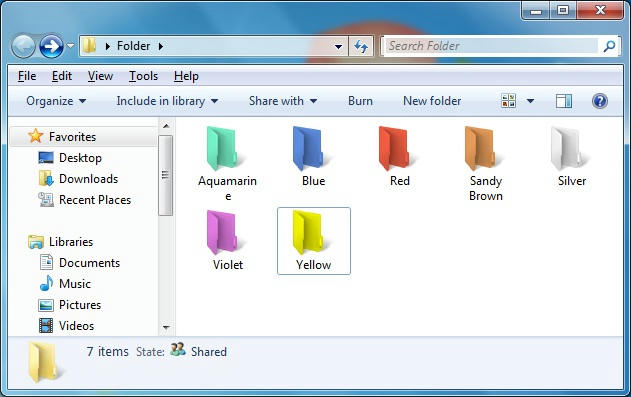
Today I am going to show you how to change the colour of windows 7 folders. Whether you are bored of the yellow coloured folder icons or just want a change or want to organize your folders this will come in handy. So lets get straight down to the trick.

Suni

Batch File Trick - Website Pinger

0 comments

Image

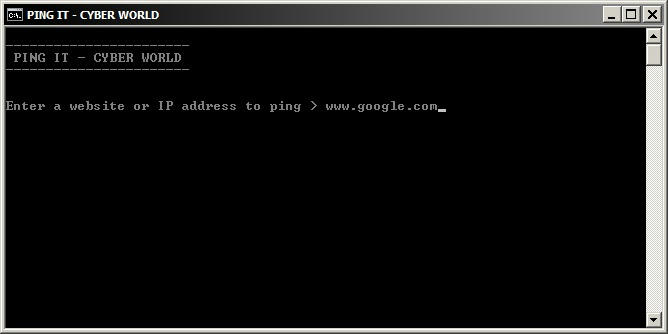
When you want to find the IP address of a website you need to ping it using CMD. But you can always make the things easier! Using a simple batch file you just have to enter the website you want and it pings it. It also will tell if the pinging was successful or not.

Suni

Add Google Custom Search to your Blog

0 comments

Image

Today I am going to discuss a blogging tip to you; How to add Google custom search box to your blog or site. For a demo you can try out the search in this blog. So lets get straight down to the procedure.

Suni

Easily Access Web Applications From Desktop

0 comments

Image

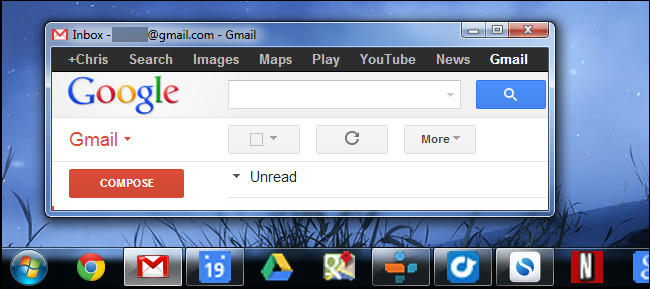
Web apps have been replacing desktop apps for everything from email and document-editing to playing videos and music. You don't have to keep your web apps confined to a browser window – they can become first-class citizens on your desktop.

Suni

Use your Web Browser as a Text Editor

0 comments


Image

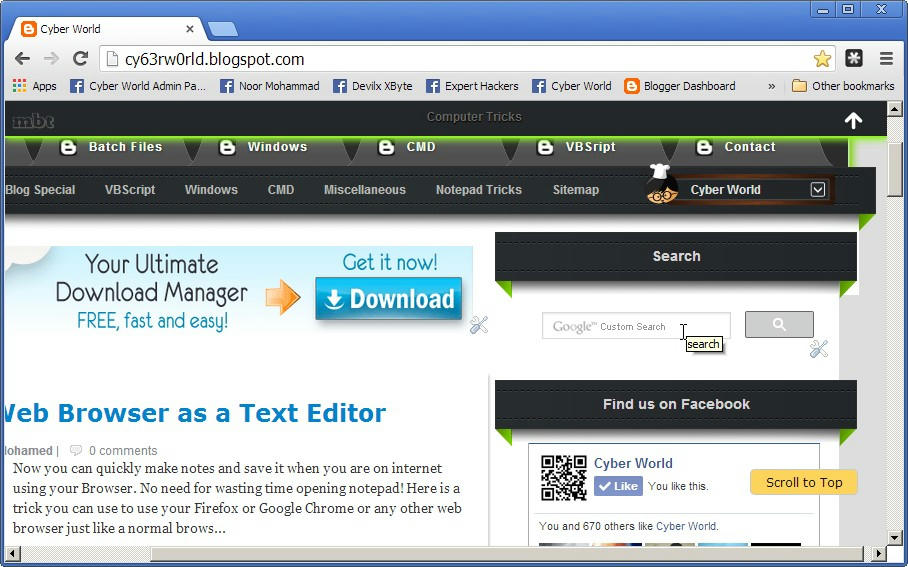
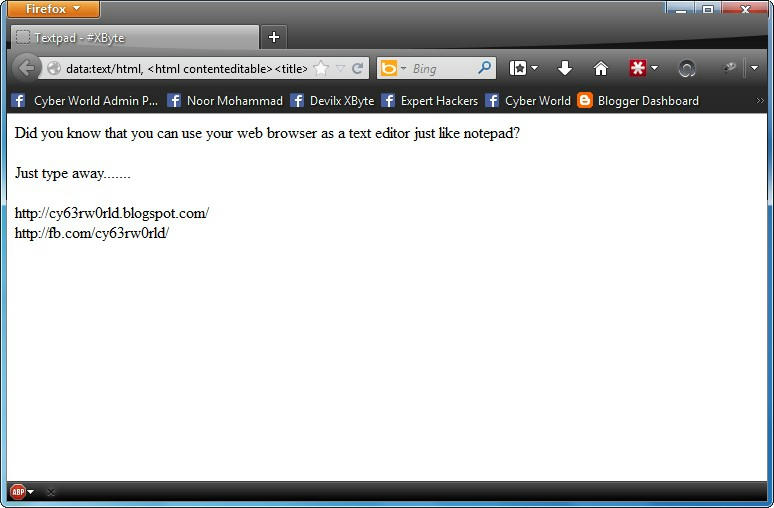
Now you can quickly make notes and save it when you are on internet using your Browser. No need for wasting time opening notepad! Here is a trick you can use to use your Firefox or Google Chrome or any other web browser just like a normal browser.

Suni

Google Searching Tips

0 comments

Google is a powerful tool. But you are missing out a lot of a that power if just type words into it. Google has many search operators to drag out the results you were looking for. Many of Google's search operators are not well-known. Even if you know some, read on and you will probably find at least one search operator you weren't aware of.

Exact Words and Phrases

One of the most basic and widely known search trick is using quotation marks to search for an exact phrase. For example by typing "Hello World" into Google search will dig out results containing the exact phrase "Hello World". The same method now works for exact-word queries. For example if you search for "mining" without double quotes, Google will also show results containing the words "miners". But including the quotation marks searches for the exact phrase.


Screenshot_01


Excluding a Word

A minus sign allows you to specify words that shouldn't appear in your results. For example if you are looking for pages about Linux distributions that should not mention Ubuntu, then use the following search:
linux -ubuntu


Screenshot_02


Site Search

The site: operator allows you to perform a search in a specific site. For example if you are looking for information on Google tricks on Cyber World you could use the following search term:
site:cy63rw0rld.blogspot.com google tricks


Screenshot_03


Related Words

The tilde (~) operator is the opposite of enclosing a single word in qoutes - it searches for related words, not just the word you type. For example if run the following search you will find results with words similar to "Cyber":
~Cyber


Screenshot_04


Wildcard

The asterisk (*) is a wildcard that can match any word. For example if you wanted to see what companies Google has purchased and how much they paid, you could use this search:
google purchased * for * dollars


Screenshot_05


Time Ranges

A little known search operator allows you to specify time range. For example, use the following search to find results about Ubuntu between 2008 and 2010:
ubuntu 2008..2010


Screenshot_06


File Type

The filetype: operator lets you search for specific file types. For example you can search for only PDF files about basic hacking using the search below:
filetype:pdf basic hacking


Screenshot_07


One Word OR Other

The "OR" operator lets you find words that containg one term or another. For example, using the following search will show results that contain either the word "Ubuntu" or the word "Linux". The "OR" must be in UPPERCASE.
ubuntu OR linux


Screenshot_08


Word Definitions

You don't have to google a word and look for a dictionary if you want to see its definition. Use the following search trick and you will see an inline definition:
define:word


Screenshot_09


Calculator

Use Google instead of pulling up or launching a calculator app. Use the the +, -, * and / symbols to specify arithmetic operations. You can also use brackets for more complicated expressions. Below is an example.
(4+2)*(6/2)


Screenshot_10


Unit Conversions

The calculator can also convert between units. A simple example will explain it all:
5 nautical miles in meters


Screenshot_11


With all these tricks you can pull out the exact information you want in just one go without having to spend too much time. If you liked the article please share it leave your comments. And help us reach a bigger audience on Facebook.

Suni

Open a CMD window in any folder

0 comments

Image

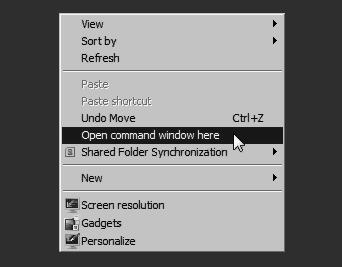
If you are a frequent user of command prompt you will certainly find it annoying to change the directory every time. Here is a neat trick to open a command prompt window directly into a specific folder or drive. This can save you from typing the CD command every time you open the command prompt window.

Suni

Google translate trick

2 comments

Image

Google translate is a translating service which millions of people use everyday all over the globe. But we can always make things more fun! In this post I am going to show you a great trick you can enjoy. Lets get straight down to it.

Step 1: Go to Google translate and copy and paste the code given below into the translate box.

Suni

VBScript - Measure your reaction time

10 comments

Image

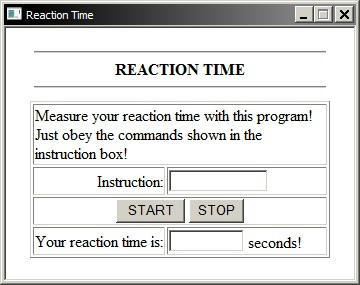
Here is a VBScript code for an HTML application (hta file) which can measure your reaction time. The user will have to click on the a button and wait for an instruction. Then when the program tells you to click the stop button click it as soon as popssible. My highscore is 0.281 seconds. Try to beat that!

Suni

8 tricks to increase Firefox speed

0 comments
Image

Firefox has been outperforming internet browser in every department for years, and version 3 is faster than ever. But tweak the right settings and you could make it faster still, more than doubling your speed in some situations, all for about five minutes work and for the cost of precisely nothing at all. Here are the tricks for you!

Suni

Enable or disable classic log on in windows 7

0 comments

Image

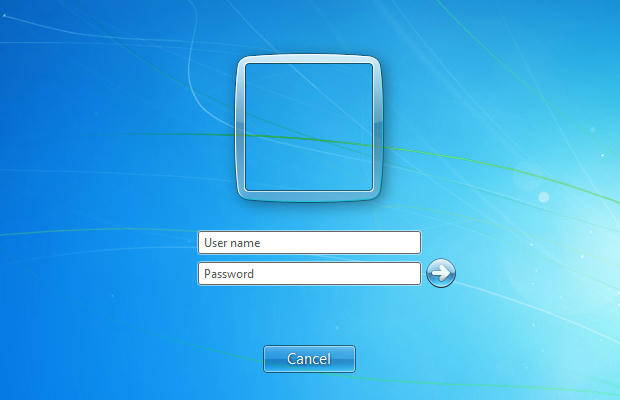
By enabling the interactive or classic log on screen in windows 7 you are required to enter the username as well as the password. This provides some extra security to the system as anyone trying to log on would have to guess the username.

Suni

Amazing VLC media player trick

0 comments

image

VLC media player is an increasingly popular media player. It has many great amazing features and can boost the volume four times louder than other players. Today I am going to show you an amazing trick with the VLC media player.

Suni

Change the icon of USB drives and hard drives

0 comments

Image

Here is a simple and easy trick to change the icon of your removable and fixed hard drives on windows. You will need only notepad and an icon file. You can download an icon from Internet or create your own icons using icon creator softwares.

Suni

Extract text from images

0 comments

Image

Sometimes when you want to get text from an image file to a text file you have to type it all into notepad. This is really difficult especially if the text is long and you are a novice typer. An easier alternative is using an OCR (Optical Character Recognition) software. There are many online services providing you with this. But I am going to teach you a little trick to extract text from images using a software included in the Microsoft office package called OneNote.

Suni

Create new partitions without formatting the hard disk

1 comments

Image

In this post we are going to learn how to create partitions without formatting the hard disk. The procedure can be used on any version of windows like windows 7, 8 and XP to create any number of partitions. This instructable is complete with pictures and step by step procedures so I think you won't have any difficulties in understanding.

Suni

Hide or embed files in image files

0 comments

Image

This is a simple trick to hide any files inside a picture file like a jpg or png image. This is very simple and needs only command prompt and a file compression tool like WinRAR. Just follow these steps to turn a normal picture file into a secret file package!

Suni

Make a simple windows 7 gadget

6 comments

Image

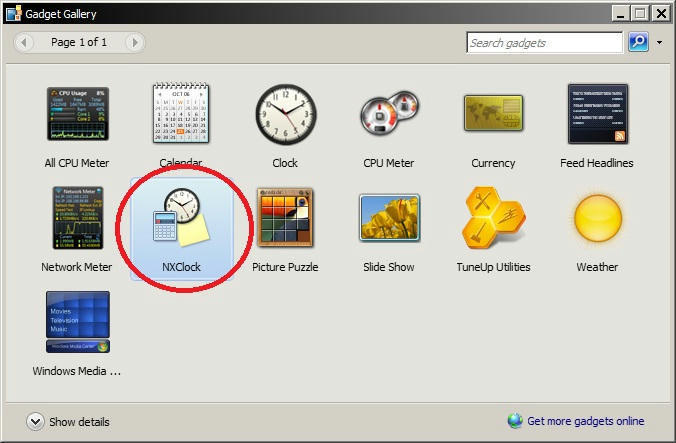
First of all what are gadgets? Gadgets are lightweight HTML and script-based applications which can present information or provide functionality from a variety of sources such as websites or services. To make a gadget you need to know the basic of HTML.

In this tutorial I am going to show you how to make a simple windows 7 gadget. A basic gadget needs an XML file named exactly gadget.xml and an HTML file with the gadget name. Also you can include any pictures needed in the gadget. In this tutorial I am going to show you how to make a simple demo clock gadget which would display time in a simple way. Just follow the steps given and if you know basic HTML you will find it easy to understand.

Suni
Tips Tricks And Tutorials
  • Calculator

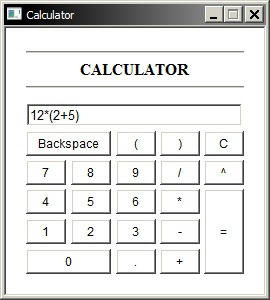
    VBScript Calculator

    This is a very simple calculator made with HTML and coded with VBScript.

  • Hack windows password

    Hack windows 7/XP password

    Learn the easiest and most reliable method to hack logon password for any account on windows 7/XP. Even administrator accounts are not excluded!

  • Windows gadget

    Make windows gadgets

    Learn how to make gadgets for windows! It may be easier than you imagine.

  • Facebook

    Visit our facebook page

    Keep tuned to the posts via facebook. We continually update our facebook page.

  • Contactform

    Contact

    If you have any complaints, questions or suggestions, feel free to contact me via the easy contact form.