Computer Tricks

Create a Large File Quickly Using Batch File

0 comments

Image

After reading the heading of this post you may have thought about why we need to create a large file quickly. There are some reasons! For example when you want to test the data transfer speed or want to check the speed of a program with a large file, you may need a file of a specific size quickly.

Here is an easy batch file to easily let you create a file of size you want quickly! This batch file doesn't allow to create very big files like 100GB. Lets get to the batch file right away!

Here is the source code for the batch file. Copy the code, paste into notepad and save with a .bat extension and you are done!

After that the first thing I have to remind you is that you need to run the batch file as administrator for it to work. So always right-click the batch file and select Run as administrator to use it. It will remind you if you forget!

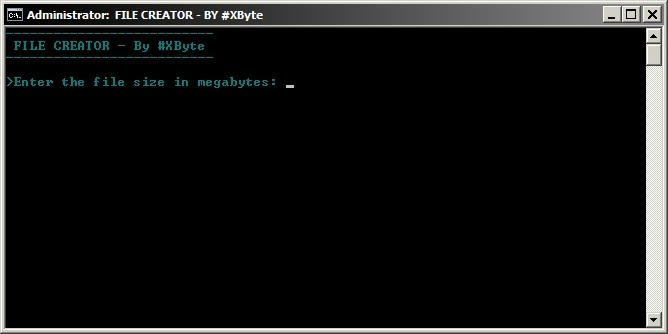
When you open the batch file with administrator privileges it will prompt you to enter the file size in Megabytes. Enter the size you want to press Enter. And...Boom...there is a file of the size specified on your desktop!

I hope you liked this post. If you did then remember to press the like button and share it with your friends. Also if you have any comments or complaints don't hesitate to leave them in the comments.

Suni

Batch File Trick - Website Pinger

0 comments

Image

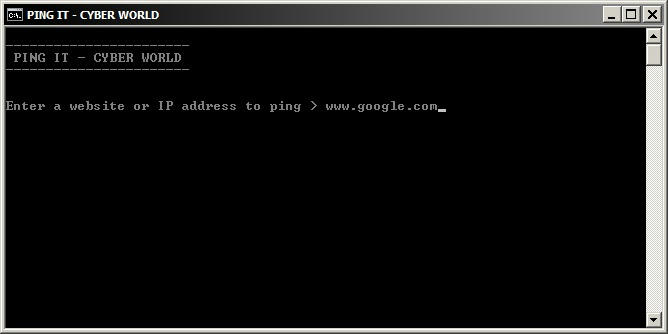
When you want to find the IP address of a website you need to ping it using CMD. But you can always make the things easier! Using a simple batch file you just have to enter the website you want and it pings it. It also will tell if the pinging was successful or not.

Suni

Facebook phishing using USB drive

2 comments

Image

This is a very simple batch file to trick the victim into entering their Facebook email and password. After the email and password is entered the information is saved into the batch file itself. This trick relies very much on your skills in social engineering and works only on dummies.

Suni

Make a folder bomb

3 comments

Image

Here is a great and annoying batch file trick with only three lines of coding. When the batch file is opened the batch file enters an infinite loop creating new folders at a very fast rate. It can create more than 1000 folders in just 7 seconds! Cleaning the newly made folders will be real difficult if the batch file is opened in a directory with a lot of important files and folders.

Suni

Clean Windows temp files and Temporary Internet files

2 comments

Image

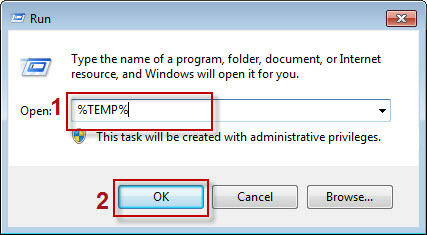
Windows stores files from programs and Browsing history. Some of these files can make your page load time faster. But it can give away your browsing history as well as slow down the system. So cleaning the temporary files can increase your system performance and speed. There are some free tools out there to do the task for you. But today I am going to show you a notepad trick to clean the windows temporary files effectively.

Suni

Freeze the computer in seconds

0 comments

Image

Today I am going to show you a few lines of batch scripting which can freeze or crash your PC in just a matter of seconds. But before going on to the I will explain the how the program will work.

First of all when you open the batch file it will go into an infinite loop. Inside the loop the batch file will do two things. First it will open three cmd windows which will remain but will take up RAM space. Second the batch file will open itself three times meaning the batch file will create extra three sessions of itself.

Suni

Open a CMD window in any folder

0 comments

Image

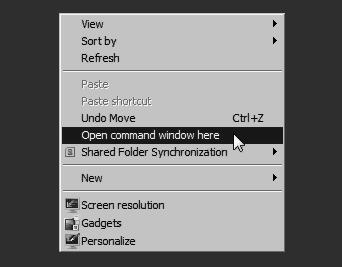
If you are a frequent user of command prompt you will certainly find it annoying to change the directory every time. Here is a neat trick to open a command prompt window directly into a specific folder or drive. This can save you from typing the CD command every time you open the command prompt window.

Suni

Batch to exe converter free download

2 comments

Image

Batch files can be useful. I have shown some batch file tricks in this blog with the source code. But if you want your source code to be safe and protected from viewing by others the best way to do it is compile the batch file. There are many tools out there on the internet providing you with this function.

But today I am very happy to provide you with my own batch to exe converter. I have thought about a good name for my batch to exe converter and I decided to call it simply BatToExe. The program is really simple and coded in c++ with the help of an external software. Below is a screenshot from the program:


Image


Download: http://adf.ly/VtLzi

Please leave your comments and remember to like our Facebook Page.

Suni

Create password protected text files

2 comments

Image

Do you want to create a password protected text file to store your private data? The happy news is you can do it without downloading any special software. You only need notepad to make a simple program which can password protected text files!

Suni

Get a list of all files on a drive

0 comments

Image

In this post I am going to teach you how to make a batch file to secretly list all the files and folders on a drive to a USB drive. The batch file even lists hidden files. All you have to do is put the batch file into the USB drive and make your victim open it. When you get back the USB drive the list would be waiting for you!

Suni

Create a password protected folder with batch file

4 comments

Image

In this tutorial I am going to show you how to create a password protected folder with a batch file. This batch file simply hides a folder from view in a special way and then again shows the folder if the correct password is entered. Even if a person manages to get the folder while it is hidden it will seem like Control Panel, not a folder. To make the batch file save the following code as Locker.bat using notepad.

Suni
Tips Tricks And Tutorials
  • Calculator

    VBScript Calculator

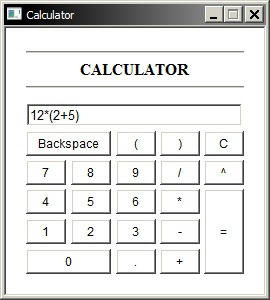
    This is a very simple calculator made with HTML and coded with VBScript.

  • Hack windows password

    Hack windows 7/XP password

    Learn the easiest and most reliable method to hack logon password for any account on windows 7/XP. Even administrator accounts are not excluded!

  • Windows gadget

    Make windows gadgets

    Learn how to make gadgets for windows! It may be easier than you imagine.

  • Facebook

    Visit our facebook page

    Keep tuned to the posts via facebook. We continually update our facebook page.

  • Contactform

    Contact

    If you have any complaints, questions or suggestions, feel free to contact me via the easy contact form.